Tag Archives: #netnarr

OPML Is the Alchemy of Following Blogs in an Open Networked Course

This post is meant primarily for participants in the Networked Narratives course I am co-teaching with Mia Zamora, where everyone is publishing in their own blog space. Everything here applies as well for the Open Learning ’17 course led by Gardner Campbell; I’m working on both sites at the same time, so things I do on one cross over.

In terms of staying tuned into news and current interesting information, many people these days rely on social media. For me, that is part of my information flow input, but not only one. Yes, I find many useful things shared by other, but it depends on when I tune in, who I follow, and how deep– it’s pretty much accidental serendipity.

My more primary means is checking regularly maybe 150 different websites, mostly blogs. Do I visit 150 blogs on a regular basis? Heck no.

I make use of the same three letter technology that we had you trip over to connect you blogs, RSS. These feeds can pull the stories from hundreds of sites into one interface where I can scan them like subject lines in my email inbox. Just like there, I can skip stuff that is not important or interesting (that’s why blog post titles matter!).

The Flow of Networked Open Courses (aka a lot of blogs)

In an open networked course, I want to be more confident I am scanning the activity, especially for my students. And even more so as a teacher. One thing I can do is go to the course home page, and see the new posts displayed at the bottom. That’s the full flow of all blogs. In a busy course, it starts as a trickle, then becomes like a garden hose, and eventually a high pressure firehose.

With the way I set up syndicated sites, we can slice the flow; in networked Narratives we have a page for posts just by Open Participants or just ones by the Kean University students.

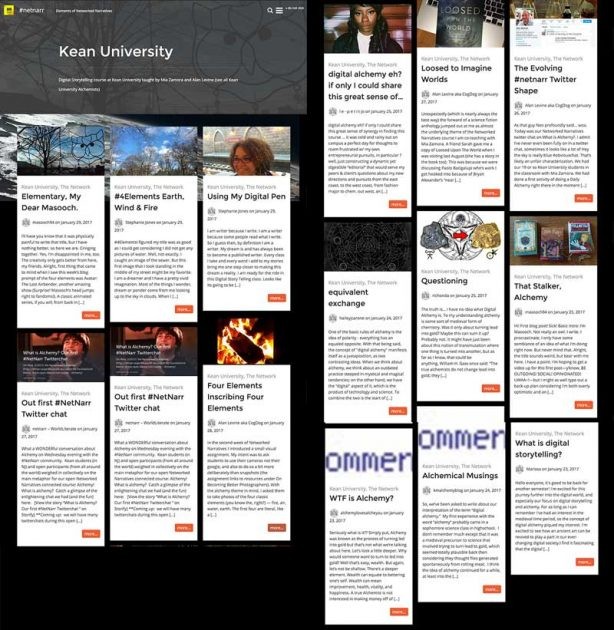
Screen shot montage of the most recent syndicated posts by Kean students; by now it’s already changed

Hocus Pocus… OPML

So I am going to share you some web alchemy, and a magic potion called OPML. You need not know what that stands for (make something up), nor do you even have to look at it (it’s cryptic XML, don’t look).

If you can understand that an RSS feed represents an updated data file that shows the latest content of one blog, and OPML file is a bundle of links to RSS feeds, it’s like a mega subscription file. It’s like a big folder of — okay, the metaphors are getting in the way.

Let’s just do it.

First we need to get these magical mysterious files. I am going to do this with the interest of following just our Kean blogs, but this could work for all of them or the open ones as well. You will find the same links on all.

From each of these “flow” pages, in the header you will find links to a page that lists all of the blogs that are connected, I call them Notebooks — here is the one for Ken alchemists (see also the one for all blogs or open ones).

Check the four orange buttons

Click the buttons for Blogs OPML and the one for Blog Comments OPML (you should do this on a computer, mobile devices probably will cry when you click on these).

Both links will save files to your computer. Just download them. Do not open them.

To set up yourself to be an OPML Alchemist, you need a tool called an “RSS Reader.” There are a number you can use (Google had a great one, and they killed it, sigh. I’m still in mourning).

I will recommend Feedly, but you could easily use other ones. Feedly is free, go create an account. It will give you something blank. Like twitter, they want to suggest things for you. Do that later. Or never.

But do click (if the right side here is not visible) the Discover and Follow button. Way down at the bottom, is the link you want:

So first import the Blogs OPML file you downloaded. Lights may blink and gears are churning.

On the left side, you will see a link that represents all of the blogs listed in the file. On the right will be some kind of listing of the posts from these blogs, the newest ones first.

Posts from all the blogs in one OPML file. Cool!

The titles in bold are ones I have not read. So the interface can tell you at a glance what is new.

Your first view may be more of a graphic grid layout, different from my screenshot above. That’s my preference; you can change the views by opening the small menu to the right of the title:

If there is a title that looks interesting, clicking it opens it so I can read the blog post right here:

Reading one post…

When a post os open, if you click it’s title, you can then jump over to the blog itself if you prefer reading it there (or if you want to add comments).

You can even use keyboard shortcuts to read through them– j loads the next one and k the previous. You can read through many blogs this way.

As they say on late night TV, “but wait, there is more!”

If you click the OPML feed open on the left, you can see the names of all blogs in the subscription. And if you click a blog, you can now scan all the posts from one blog:

Okay, let’s breathe. With this set up, we can read a whole bunch of blogs in one single interface. When a blog publishes new stuff, it will be updated here (there might be some lag in how often feedly checks for updates).

That’s why I consider this one of the few technologies I can safely say that it saves you time.

Okay, but there is the second OPML file. We use the first to read the posts. The second one contains the activity on the comments to all blog posts (this works for blogs published on WordPress or Blogger only).

That’s right, folks– you can monitor the comment conversations on hundreds (or 10 or 3) blogs in one place. AMAZING! ?

Now import the other OPML file, the blog comments one.

In this case, I see the title of the post that was commented on, as well as the name of the commenter, all in my scan view:

Just flip through them (j and k are your friends), and if you want to respond, click the title and jump out to a blog.

And like above, I can quickly see what the activity looks like on a single blog:

Yes, Writeannabella is getting good activity on her new blog– I can see it in a glance, as well as seeing that there are no comments. At once glance, we can get a sense of the participation level on every blog or the community as a whole.

I cannot say enough how critical this alchemy is to stay in touch with the activity in an open networked course. Yes, it is good for teachers, but it is just as useful for participants to take in all the activity in one place.

Are you ready to do some OPML Alchemy? Fear not the funky acronyms!


Top / Featured Image: A screen shot of a real OPML file for Networked Narratives, edited in Photoshop (inverted, rotated, scaled, blurred) by me shared under CC BY

The post “OPML Is the Alchemy of Following Blogs in an Open Networked Course” was originally slapped on the butt by a cigar smoking doctor yelling “It’s a post!” at CogDogBlog (http://cogdogblog.com/2017/01/opml-is-the-alchemy/) on January 30, 2017.
Networked Narratives: Fair Use

The internet is down, again. Another annoying phone call, another appointment made. This time the technician found a connection problem outside my apartment and thus, no charge for the service call. After four months of international phone calls, emails, surveys and chats. Have I been talking to bots all this time? But that’s a different digital story…

This is my first attempt to reflect on the Digital Alchemy of Networked Narratives. On America’s Presidential Inauguration Day. Is this an omen? No, that would be digital augury and I’m interested in transformation, digital and otherwise.

That’s how I found the Center for Digital Storytelling, now StoryCenter, in Berkeley California. Learning to use story circles to explore my life and to increase my ability to listen with compassion has transformed me. Last week I had the honor to assist StoryCenter founder Joe Lambert teach a group of facilitators to continue story work in education, non-profits and social services.


In the same week I received the invitation to participate in netnarr, finished my Copyright for Educators & Librarians Certificate through Coursera (in anticipation of taking the new Creative Commons Certification class), and got an A in my Physical Geography class. It was a four week intersession online course that covered sixteen weeks of material. I’m pretty sure it’s some kind of academic fraud, but I’ll take the four units I need to finish my Associates degree in Sociology. Spring semester starts next week and I’m looking forward to my last SOC class, taught by my department chair; The Sociology of Death and Dying.

My main project this year is to finally create the structure for an eportfolio. I’ve been trying to understand how I can use one to document all my learning and experience. A retired scientific glassblower, I have so much experience to document that isn’t text based (implicit or tacit knowledge) that I don’t know where to begin. I’ve attended one AAEEBL conference, read several books and interviewed some portfolio users. Anyone else going to the AAEEBL Conference in Portland this year? My takeaway is that by building a digital portfolio (data base), one can reflect on their learning and experiences to make new connections and reach new understandings they didn’t realize at the time they were creating their digital artifacts. I look forward to including everything I make and learn while participating in Networked Narratives.

Long ago I set up my own domain. I tried blogging. No one cared, especially me, but I was just a cranky old returning Community College student pissed off at the Financial Aid Department. Lately, I’ve made many ds106 Daily Creates and cross posted them to my website, Twitter, Google+ and facebook. CogDog has inspired (shamed?) me to try and give proper attributions, but I’m still not sure if I’m tagging things in the best way. I know I’m not including the necessary metadata for the semantic web. (anyone else taking the Metadata Workshop at DHSI in Victoria this summer?) I’ve tried and abandoned all the other social media sites (who else has thousands of del.icio.us bookmarks and no followers?) with the same result, except facebook: Now I stay in touch with a half-sister I’ve never met because she found me on facebook.

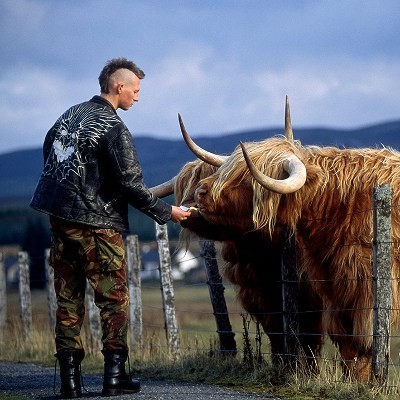
The first thing I saw on facebook today was a reminder of my first ds106 post: Cow Punk. I love serendipity!

Punkwith mohawk feeding Scottish cow in Dalwhinnie, Scotland.

Dalwhinnie, Scotland Photograph by Jim Richardson
https://t.co/AmLSFcWa1M


I wasn’t sure it was my first post, so I googled how to search my twitter posts. In settings you ‘create archive’ which is emailed as a .zip file. Unzipping the archive you can view it many different ways, the easiest for me being through a browser. (Any JSON enthusiasts want to explain how that search works?) First I searched for #ds106: it wasn’t there. Harrumph (rhymes with Drumpf). How do I search my images to find which one was first? Google says just type modified: into the file explorer search box and files are automagically ordered by date. Then you can type a range after the colon if need be. There it is. I called it Cow Punk after the musical style popularized by The Beat Farmers, Lone Justice, Rank and File and X. I was born in Hollywood and lived in Whittier (home town of Richard M. Nixon) until I moved to the Bay Area. I included a link to Rank and File’s song/video “Ever see a sheep in a pork pie hat?” in my tweet. I was (hopefully) alluding to Scottish sheep (and cow) herders and their American cousins (cowboys) [should have left the typo ala CogDog *cowbots*], 60’s British Mods and today’s hipsters (pork pie hats), punks and edupunks. (google it)

It was my first post, why wasn’t it in my twitter archive? Doh! I started by playing with #western106, Alan Levine’s 2016 fork of #ds106. Back to search my twitter archive with #western106 and there it is! @ds106dc #tdc1472 #western106

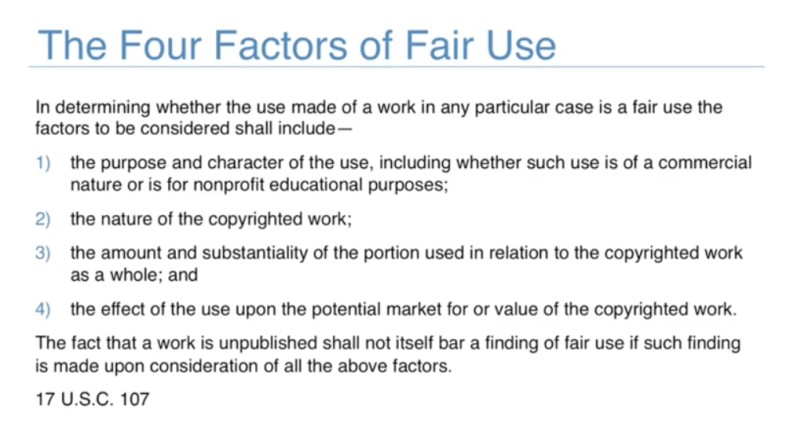
A quick search of my gmail reminds me of the #tdc1472 prompt: “An old Western saying tells us not to approach a bull from the front, nor a horse from the rear. It also tells us not to approach a fool from either side. Make one image/drawing or several (like in a comic).” I just googled for an image I liked and downloaded it. Now, an image search of my tweet reminds me that I misappropriated a National Geographic picture from “30 Years in Pictures: Celebrate National Geographic Traveler’s first three decades with flashes from the past” It was from “”History in a Bottle,” a look at the Scottish Highlands—and its single malt whisky—that appeared in the July/August 2001 issue of Traveler.” Ooops. And I didn’t attribute the photograph as “Dalwhinnie, Scotland” by Jim Richardson. Since all I did was crop and reverse the image, I can’t even honestly claim it’s repurposed. In my Copyright for Educators & Librarians class I recently learned to go through the Four Factors used by the US courts:

Four factors of Fair Use law in US.

Nope, nope, nope, nope; this doesn’t augur well. My only defense is that I’m a student, a really old student. All I can do now is wait for a letter from the National Geographic and perhaps the Scotch Whisky Association. Good thing the Dalwhinnie Distillery isn’t a member. Ain’t google grand?

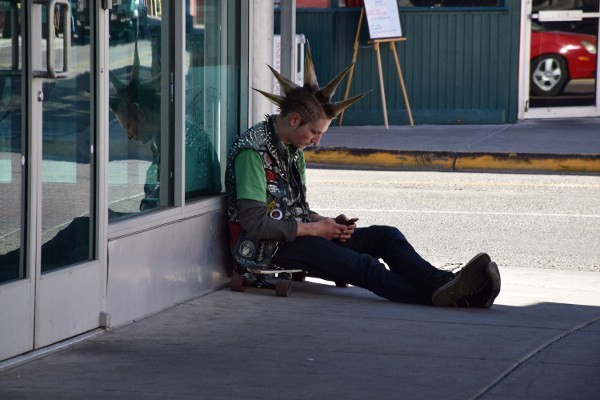
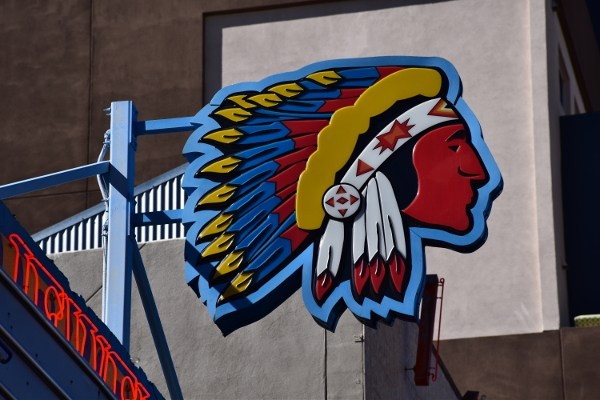
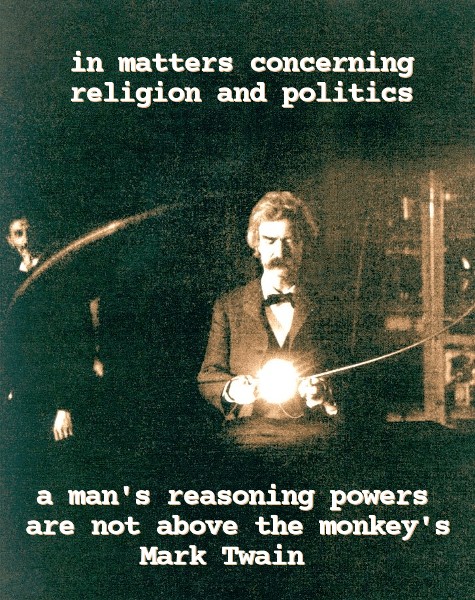
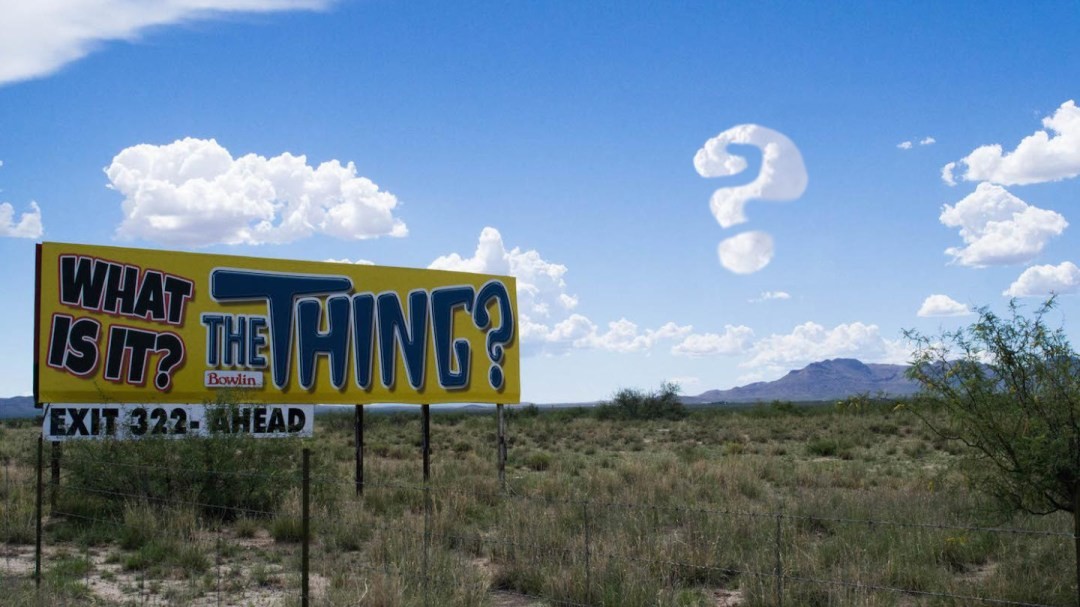
I’ve learned that I don’t have to do anything to secure my copyrights, so here are images I do have the right to use.  I took them on Route 66 in Albuquerque, New Mexico, in 2016 while at the Southwest Popular/American Culture Association annual conference. I didn’t get a signed release, but the young person was sitting on a public sidewalk so I’m not worried. He was a block away from Maisel’s Indian Trading Post, built in 1939. Visiting Maisel’s reminded me that I was 11 when I started working during summers in my aunt and uncle Pobar’s Chevron Service Station And Sawahu Trading Post in Organ, New Mexico, southwest of White Sands Missile Range and National Monument. That’s Maisel’s politically incorrect antique sign.

I didn’t see the obvious connection between the photos that afternoon on Central Avenue. Today while looking looking for Cow Punk it jumped out at me. And all I did was resize the originals, so now I’m reflecting on the reflections!

The night before President Trump’s Inauguration, there was thunder and lightening in Oakland, California. This is rare for the Bay Area (after taking GEOG1 I could explain why) and I took it as an inauspicious sign for living under the new regime. Last week I made a commemorative thing and I’ll use it to close my inaugural post. Look closely for the shadow. I’ve learned that what I see on my 4K monitor isn’t what everybody else sees, especially on their phones.

President Donald John Trump - with text Super Callous, Fragile Sexist, Extra Braggadocious. Triple chins in ornate gilt frame.
President Trump Inauguration January 20, 2017


Notes

“30 Years In Pictures: Celebrate National Geographic Traveler’s First Three Decades With Flashes From The Past.”. Traveler 2014. Web. 21 Jan. 2017.

“Augury”. En.wikipedia.org. N.p., 2017. Web. 21 Jan. 2017.

“Cowpunk”. En.wikipedia.org. N.p., 2017. Web. 21 Jan. 2017.

“Inauguration”. En.wikipedia.org. N.p., 2017. Web. 21 Jan. 2017.